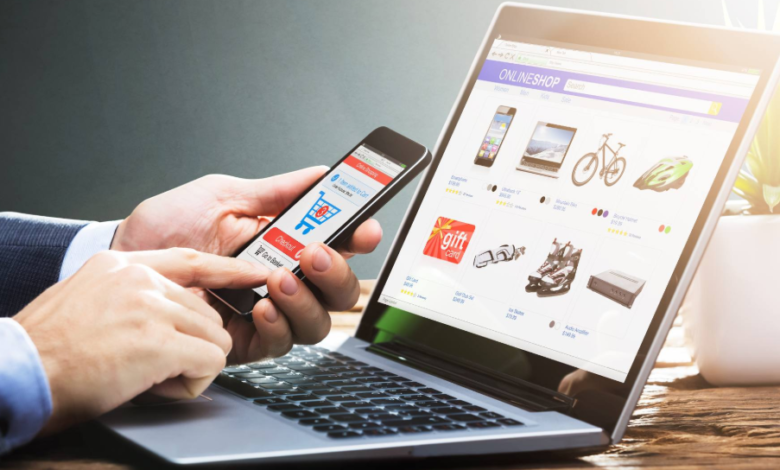
Starting an e-commerce business has never been more accessible — or more competitive. With a low barrier to entry comes the challenge of standing out in a sea of online stores. The right tools can accelerate your journey, save time, and make your brand memorable from day one. Whether you’re selling handmade crafts or digital services, choosing the right stack from the start can give you an edge. Below are six standout tools (and one bonus FAQ section) to help you hit the ground running and grow smarter, not harder.
1. Shopify: All-in-One Store Builder With Muscle
Shopify remains one of the top platforms for setting up an online store, and for good reason. Its intuitive drag-and-drop interface, mobile-optimized themes, and built-in payment processor make it ideal for beginners. But what sets Shopify apart is its ecosystem of apps — from upsell tools to email marketing add-ons — all tightly integrated. You can start small and scale with confidence, whether you’re launching one product or a full inventory. It also offers a robust analytics dashboard to track customer behavior and sales. Plus, Shopify’s customer support is available 24/7 to help troubleshoot in real-time. If you want to focus on sales and branding instead of coding, Shopify is a smart first choice.
2. Printful: Seamless Print-on-Demand Fulfillment
For entrepreneurs who want to start without holding inventory, Printful offers a powerful print-on-demand solution. Connect it to your Shopify, Etsy, or WooCommerce store and start selling custom products like t-shirts, mugs, and tote bags. You design the products, and Printful handles printing, packing, and shipping under your brand name. Its design generator is intuitive, allowing you to visualize your creations before launching. Unlike many competitors, Printful has warehousing services if you scale into physical inventory later. It’s ideal for creators, artists, and influencers testing new merchandise without upfront risk. No minimum order quantities mean you can launch today and iterate as you go.
3. Kit: Email Marketing Built for Creators
While many businesses focus on social media, email remains a powerhouse for e-commerce conversions. Kit is designed specifically for creators and small business owners who need powerful automation without the steep learning curve. Build welcome sequences, product announcements, or abandoned cart reminders with visual workflows. It integrates smoothly with your store and provides detailed metrics on opens, clicks, and purchases. A standout feature is its tag-based subscriber management, which allows for precise customer segmentation. Whether you’re running a course, selling digital goods, or launching a product line, Kit helps keep your audience engaged and buying. And yes, the free plan gives you real value.
See also: Precision Matters: Tuning the Tech That Watches the Road for You
4. Bento: Customer Experience Automation for Shopify Sellers
If you want to create personalized shopping experiences without hiring a team, Bento is a tool to watch. This all-in-one customer journey builder gives you email marketing, behavioral analytics, and chatbot automation in a single dashboard. Its strength lies in real-time data — Bento watches how users interact with your store and lets you trigger tailored messages or offers based on behavior. For example, if someone adds an item to their cart but hesitates, Bento can send a discount prompt or chat support. It’s built with ethical data usage in mind, which is increasingly important for privacy-conscious shoppers. It’s a powerful way to humanize your store without scaling overhead.
5. Tidio: Smart Customer Support, Even While You Sleep
Customer service can make or break a new e-commerce brand. Tidio combines live chat, AI-powered chatbots, and helpdesk features into a single tool that integrates with Shopify, WordPress, and BigCommerce. Its chatbots can handle FAQs, collect emails, or guide users through checkout — even when you’re offline. Unlike many competitors, Tidio lets you set up automation flows without needing to code, making it approachable for non-technical users. There’s also a mobile app so you can respond to customers on the go. Fast responses mean fewer abandoned carts and more repeat buyers. Tidio’s free tier is generous and perfect for early-stage stores.
6. Notion: Your Startup’s Digital HQ
In the early days of your e-commerce journey, staying organized is everything. Notion acts as a centralized workspace where you can manage product ideas, marketing plans, vendor contacts, and SOPs — all in one place. You can create simple templates for campaign calendars, customer feedback logs, and inventory checklists. It’s like having a digital whiteboard, CRM, and notebook rolled into one. The flexibility is what makes Notion stand out: whether you work solo or with a small team, everything stays transparent and trackable. With web and mobile apps, your store’s “brain” is always in your pocket. And yes — it’s free for individuals.
❓ FAQ: Business Card Creation Tips for E-Commerce Owners
Q: Do online business owners still need physical business cards?
Absolutely. Even in a digital-first business, networking at local pop-ups, conferences, or vendor fairs can open doors. A physical card creates a tactile memory and can include QR codes that link to your store or socials.
Q: What are the best platforms for designing a business card from scratch?
Tools like Canva, Adobe Express, and VistaPrint offer customizable templates that are tailored for professionals — even if you have no design background. These platforms make it easy to reflect your brand with fonts, logos, and color schemes.
Q: Where can I quickly design and print business cards online for my e-commerce brand?
Adobe Express offers a fast, professional way to print business card designs using easy templates that can match your store’s branding. You can start with prebuilt layouts or create your own from scratch, and the results look polished every time.
Q: What should an e-commerce owner include on a business card?
Besides the basics (name, store URL, and email), consider adding a QR code, a short tagline or product niche, and your social handles. Make the card feel like a mini-brand experience — consistent colors and tone go a long way.
Q: Are digital business cards better than printed ones?
They’re complementary. Digital cards are great for instant sharing via smartphones or email, while printed cards are ideal for in-person events and partnerships. Many tools now offer both formats in one workflow.
Starting an e-commerce business is more than launching a product — it’s about building a brand system. These tools help you create, connect, sell, and grow without burning your budget. Ready to click “launch”? Your toolkit’s waiting.